An offline habit tracker with no account
MicroHabit lets you record habits on your device without creating an app account. Check off an action, add a count, or record time offline. There is no developer-operated cloud sync, so understand the data and purchase boundaries before relying on it for your routine.
Start with a habit, not a sign-up form
- Create a small action
Choose a ready-made starter or make your own habit. You do not need an email address or a MicroHabit login.
- Choose the weekdays
Set the days you plan to do it. Add an optional reminder and allow notifications if you want the device to alert you.
- Record the action offline
Check off an action, add the number of pages you read, or start and stop a timer. Habit records are stored locally.
- Review your progress
Use the rolling 30-day view and free Weekly Progress. MicroHabit has no streak counter to maintain.
What local storage means in practice
No app account
MicroHabit does not require an account or sign-in. Your habit names, schedules, and history are stored in app storage on the device.
No product tracking
MicroHabit uses no analytics, tracking, diagnostics, or crash reporting. It does not send your habit records to VeloTract.
Reminders are optional
The device delivers local reminders after you enable them and grant notification permission. System permissions and device settings affect delivery.
Keep your home screen in mind
Widgets can make actions easier to reach. Anyone who can see your home screen may also see the habit content displayed there.
Offline tracking has clear boundaries
Store access still needs a connection
Downloading the app, buying Pro, or restoring a purchase uses App Store or Google Play services. An app without an account does not mean a store purchase can happen offline.
No cloud sync between devices
MicroHabit does not provide a developer-operated sync service. Do not expect habits entered on one phone to appear automatically on another.
Android system backups are separate
Android may back up eligible app data depending on the device, Android version, Google account, and backup settings. Android and Google manage these copies; this is not MicroHabit cloud sync.
Plan before deleting or changing phones
Removing the app or clearing app storage removes its installed local data. Purchase restoration is separate from habit-history recovery. MicroHabit does not currently offer an in-app export or backup-and-restore feature.
Offline habit tracking FAQ
Can I track habits without internet?
Yes. Core habit recording and reviewing locally stored records work offline. Store downloads, purchases, and restoration need store access.
Do I need a MicroHabit account?
No. MicroHabit has no app account or sign-in. An optional Pro purchase uses your platform store account.
Is it available for iPhone and Android?
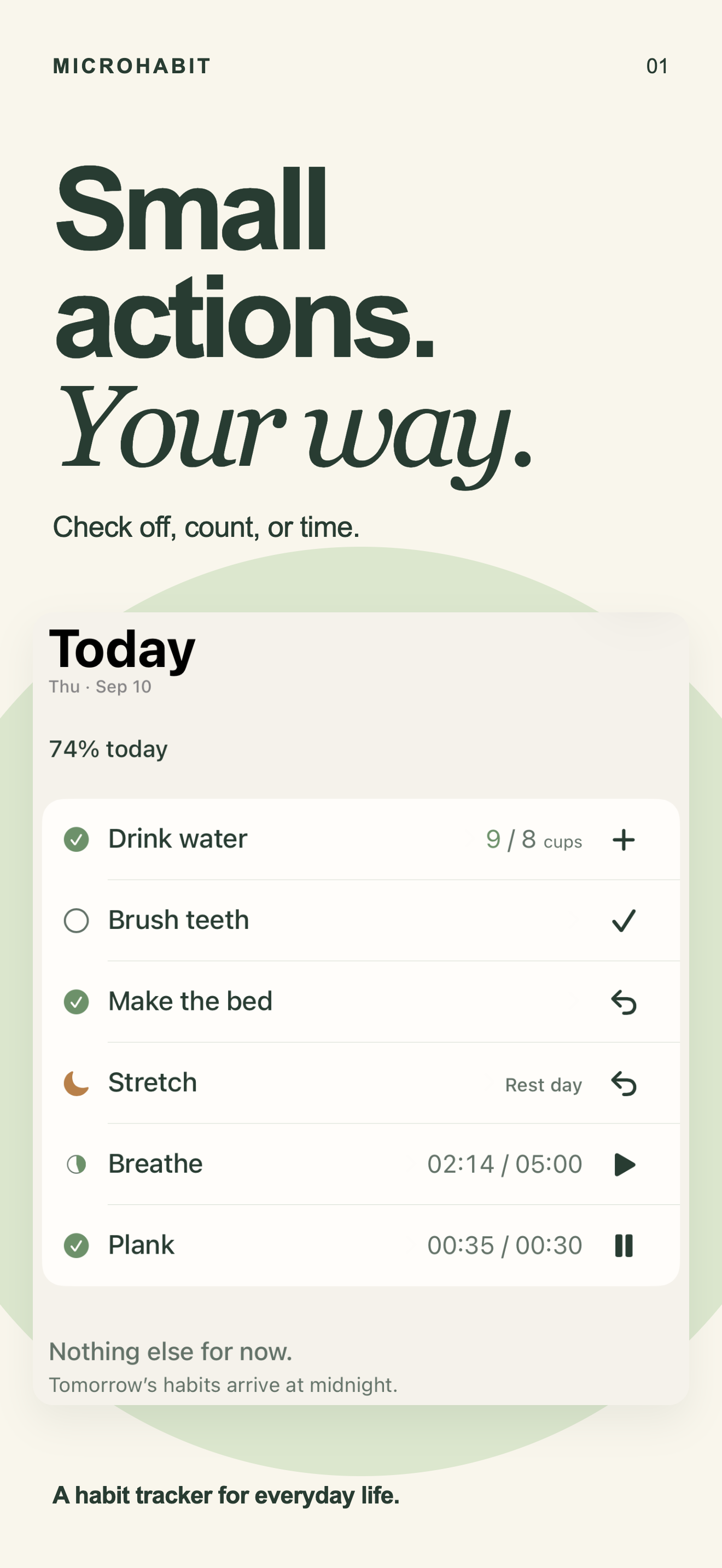
Yes. MicroHabit is available on the App Store and Google Play. The screenshot on this page shows the iPhone app.
Is offline tracking free?
Free includes up to five active habits and Weekly Progress. Optional one-time Pro adds unlimited active habits and Day Review; there is no subscription or trial.
Privacy and support
Read the platform details: iOS Privacy · iOS Support · Android Privacy · Android Support
Choose how you want to track
Keep the next small action close
Start with up to five active habits free on iPhone or Android. Create a habit without an app account.