How to restart a habit after missing days
Make the next action smaller and do it once today. Then check whether the habit's selected weekdays still fit your life. You do not need to repay missed days or rebuild a streak before continuing.
Return in five practical steps
- Choose one habit
Do not restart every paused routine at once. Pick the one action that is most useful now.
- Shrink the next action
Choose a version you can finish today: one check-off, one counted unit, or a few timed minutes.
- Record it once
Complete that smaller action and log the actual check-off, count, or time. One honest entry is enough for today.
- Adjust the weekdays
If the old schedule no longer fits, select different days and keep reminders optional.
- Pause instead of forcing it
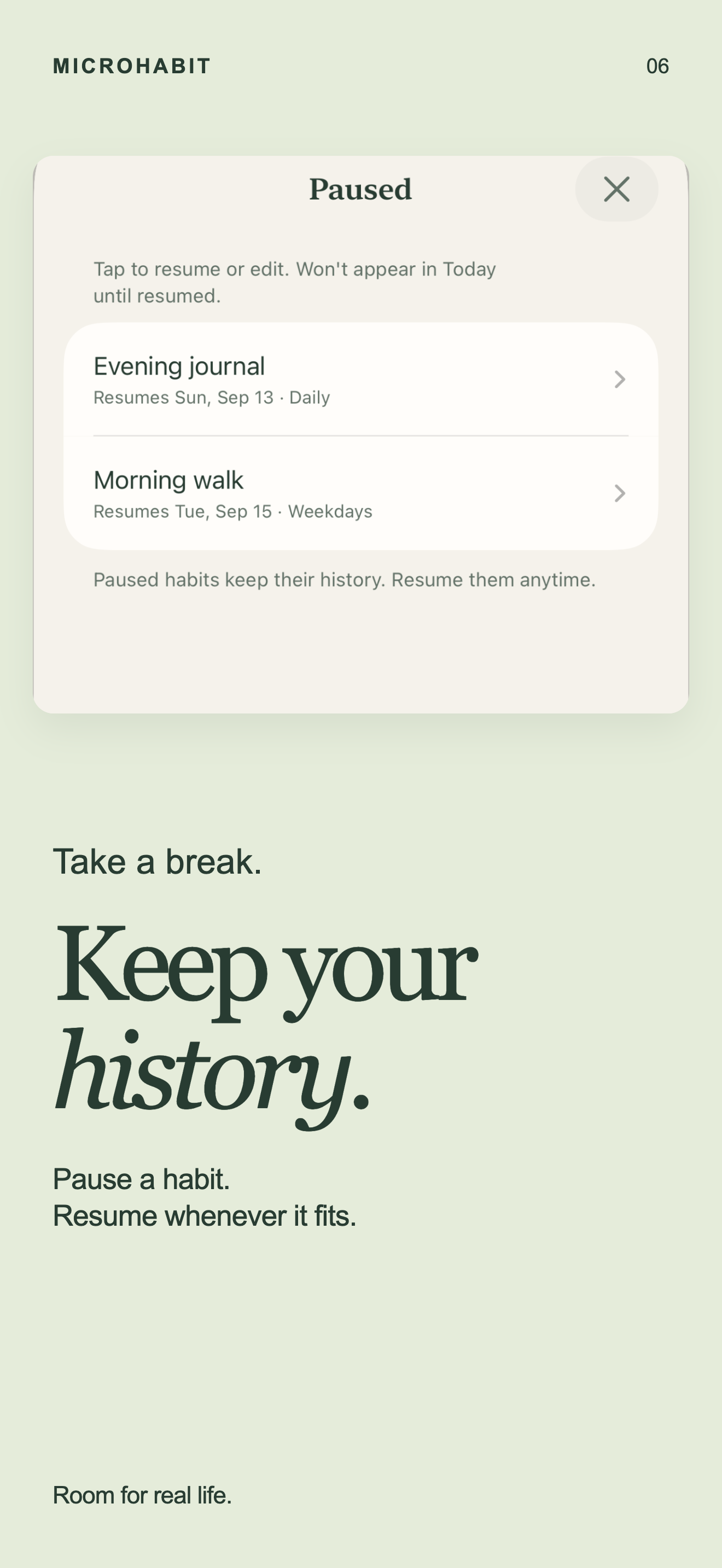
If now is not the right time, pause the habit. Resume later, or archive and restore it without losing recorded activity.
Use a moving window, not catch-up work
Look at the latest 30 days
MicroHabit shows rolling 30-day progress. The window updates as days pass, so the view can change without deleting earlier records.
There is no streak counter
You do not need to recover an unbroken number. Continue with the next scheduled action instead.
Free and Pro
Free includes up to five active habits and Weekly Progress. Optional one-time Pro adds unlimited active habits and Day Review. There is no subscription or trial.
Your records stay on your device
MicroHabit needs no account and uses no analytics, tracking, diagnostics, or crash reporting.
What the app can and cannot change
Useful controls
You can change selected weekdays, add or remove an optional reminder, pause a habit, archive it, and restore it later.
No automatic restart plan
MicroHabit records the schedule and actions you choose. It does not prescribe a routine, provide an AI coach, or offer medical advice.
Restarting a habit FAQ
Should I make up every missed day?
No catch-up entry is required. Start with the next action you actually complete.
Can I change the schedule?
Yes. Choose the weekdays that fit now and add a reminder only if you want one.
Will pausing erase my history?
No. Recorded activity stays available when you pause, archive, or restore a habit.
Can I review a specific day?
Day Review is included with the optional one-time Pro purchase. Weekly Progress is free.
Choose a calmer way to continue
Begin again with one small action
MicroHabit is free for up to five active habits, with optional one-time Pro and no subscription.