Keep actions close with iPhone widgets & Shortcuts
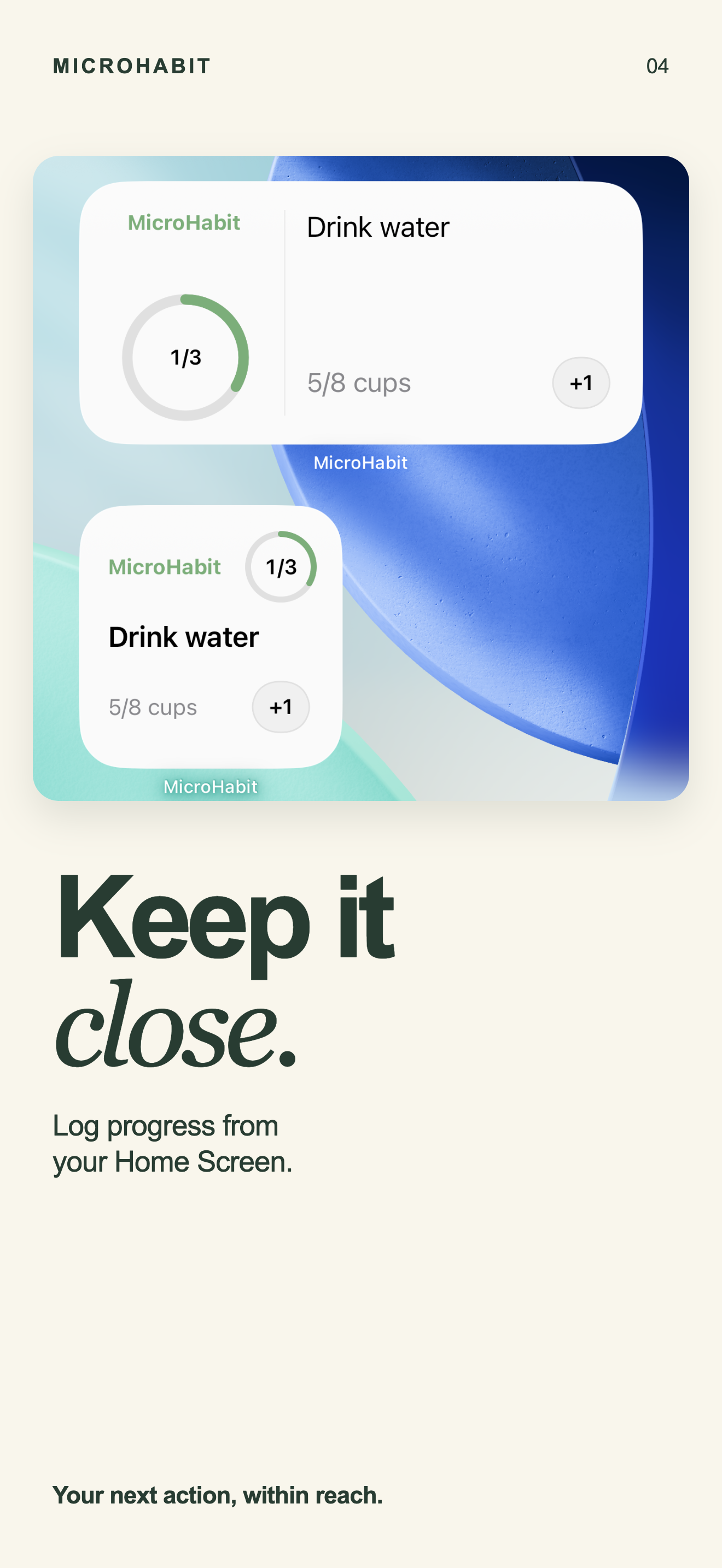
MicroHabit widgets bring your next action directly to your iPhone Home Screen. Check off a habit, increment a count, or manage timers with interactive buttons. On iPhone, integrate with Siri and the Shortcuts app for seamless, hands-free tracking.
Add, interact, and automate on iOS
- Add the MicroHabit widget
Touch and hold your iPhone Home Screen, tap the plus button (+), search for MicroHabit, and choose your preferred widget size.
- Interact directly without opening the app
Tap a checkmark to mark a task done, tap the plus button to increment a count, or pause and resume timers right on your Home Screen.
- Use Siri voice commands
MicroHabit integrates with iOS App Intents. You can ask Siri to mark a habit complete without touching your phone.
- Automate with Apple Shortcuts
Build custom automations in the Shortcuts app: log habit actions when your morning alarm stops, when an NFC sticker is tapped, or when entering a location.
- Read rolling 30-day progress
Your widget reflects your rolling 30-day progress truthfully. Missing a scheduled day changes the percentage without resetting a streak to zero.
Separating iPhone from Android features
iPhone exclusive: Shortcuts & Siri
On iOS, MicroHabit supports native App Intents. This enables Siri voice activation and deep integration with Apple's Shortcuts app for automated background logging.
Android: Home Screen AppWidgets
On Android, MicroHabit provides native Home Screen widgets (AppWidgets) for quick glance and one-tap logging. Siri and Apple Shortcuts automations are exclusive to iOS.
No streak counter on either platform
Both iOS and Android versions share the same calm core: rolling 30-day completion rates rather than fragile unbroken streaks that reset when life intervenes.
Private, on-device data
Widget actions update local on-device SQLite databases directly. There is no cloud round-trip, account authentication, or telemetry overhead.
Widgets are part of the core experience
Free features
Widgets, Siri, and Shortcuts are fully available in the free tier for up to five active habits, alongside Weekly Progress and rolling 30-day views.
Optional one-time Pro
Pro unlocks unlimited active habits and Day Review. It is a single one-time purchase with no recurring subscription, trial period, or hidden fees.
iPhone widget & Shortcuts FAQ
Do I need to open the app to log from the widget?
No. On iOS 17 and later, MicroHabit widgets are interactive. Tapping a habit action records completion immediately without opening the main app.
How do I set up a Shortcut for a habit?
Open the Apple Shortcuts app, create a new shortcut or automation, search for "MicroHabit", and select the action to complete or log your chosen habit.
Are widgets available on Android?
Yes. MicroHabit for Android provides native Home Screen widgets. However, Siri and iOS Shortcuts automations are only available on Apple devices.
Does the widget drain battery?
No. MicroHabit widgets update efficiently via native system timeline events without background location tracking or active polling servers.
Explore more MicroHabit guides
Keep your habits one tap away
MicroHabit is free for up to five active habits. Pro is an optional one-time purchase with no subscription.